LIBERO: Lifelong Learning Benchmark
LIBERO is a benchmark for studying lifelong robot learning — the ability of robots to continuously learn and adapt alongside their users over time.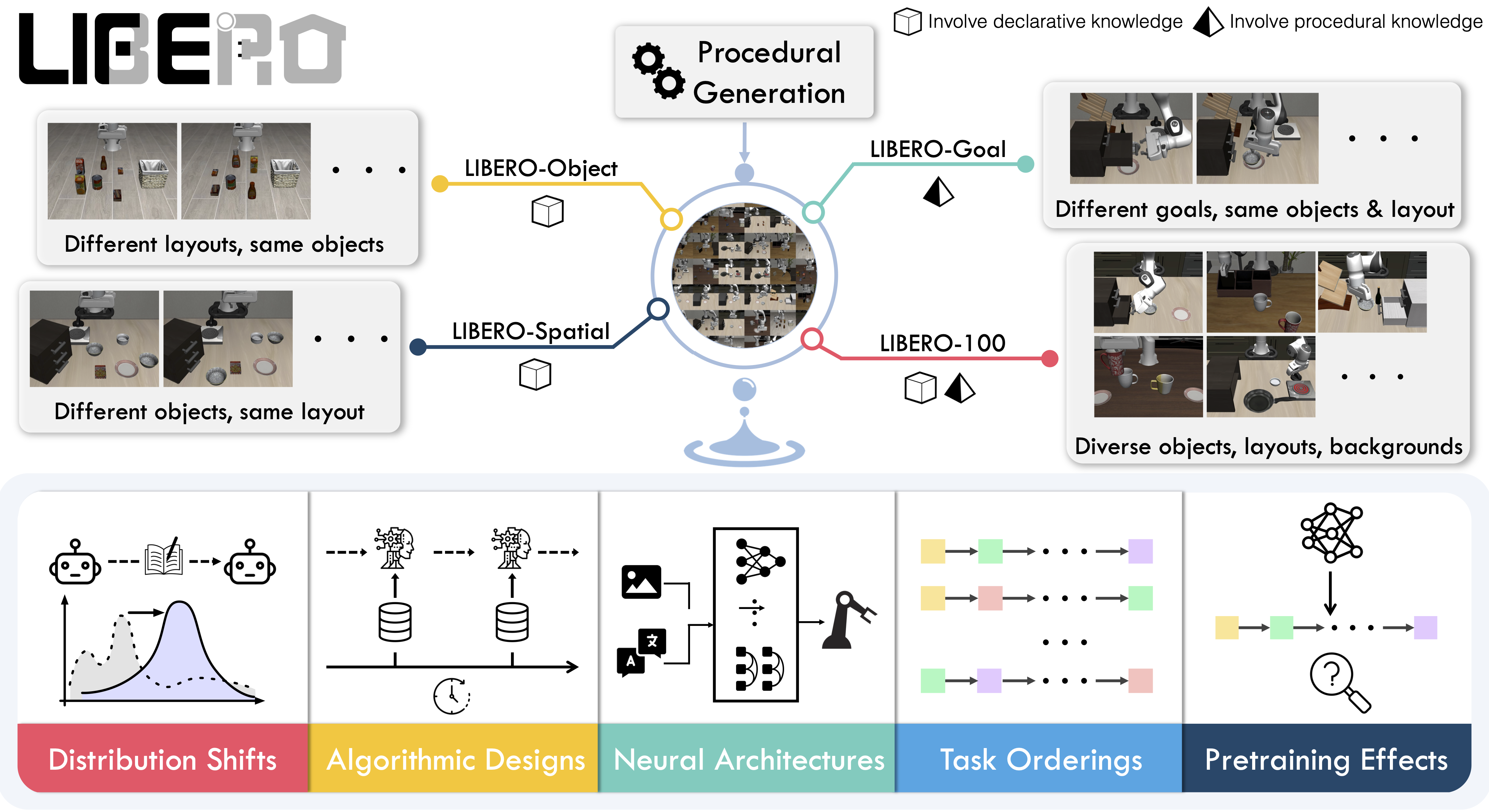
Overview
LIBERO addresses the challenge of lifelong learning in decision making (LLDM) — enabling robots to become truly personalized helpers by continuously adapting to new tasks and environments. The benchmark provides 130 tasks across five suites, focusing on knowledge transfer and generalization:- LIBERO-Spatial (
libero_spatial) – Spatial reasoning tasks - LIBERO-Object (
libero_object) – Object manipulation tasks - LIBERO-Goal (
libero_goal) – Goal-conditioned tasks - LIBERO-90 (
libero_90) – 90 short-horizon tasks from LIBERO-100 - LIBERO-Long (
libero_10) – 10 long-horizon tasks from LIBERO-100
Installation
After installing LeRobot:Evaluation
Single-Suite Evaluation
Evaluate a policy on one LIBERO suite:--env.task: Suite name (libero_object,libero_spatial,libero_goal,libero_10,libero_90)--env.task_ids: Specific task IDs to run (e.g.,[0,1,2]). Omit to run all tasks--eval.batch_size: Number of parallel environments--eval.n_episodes: Total episodes to run
Multi-Suite Evaluation
Benchmark across multiple suites:Control Modes
LIBERO supports two control parameterizations:Training
Dataset
Use the preprocessed LIBERO dataset compatible with LeRobot: 👉 HuggingFaceVLA/libero This dataset includes:- Properly formatted observation keys (
observation.images.image,observation.images.image2) - Normalized state observations
- Task descriptions for VLA training
Training Example
- Use
--policy.load_vlm_weights=truefor vision-language models - Set
--env.taskto the suite(s) you want to train on - Adjust
--batch_sizebased on available GPU memory - Use
--eval_freqto control online evaluation frequency
Observation and Action Spaces
Observations
LIBERO environments provide:obs_type="pixels": Only camera imagesobs_type="pixels_agent_pos": Images + robot state (end-effector, joints, gripper)
Actions
- Space:
Box(-1, 1, shape=(7,), dtype=float32) - Dimensions: 6-DoF end-effector delta + 1-DoF gripper
- Control modes: Relative (delta) or absolute positions
Environment Configuration
Camera Configuration
LIBERO supports multiple camera views:agentview_image→observation.images.imagerobot0_eye_in_hand_image→observation.images.image2
Episode Length
Default episode lengths per suite (based on training demos):episode_length parameter if needed.
Reproducing π0.5 Results
We reproduce Physical Intelligence’s π0.5 results on LIBERO:Finetuned Model
👉 lerobot/pi05_libero_finetuned Starting from Physical Intelligence’s base model, we finetuned for 6k steps in bfloat16 with:- Batch size: 256
- Hardware: 8× H100 GPUs
- Dataset: HuggingFaceVLA/libero
Evaluation Command
Results
LeRobot implementation:
Original Physical Intelligence results:
Our results are consistent with the original implementation.
Code Examples
Basic Usage
Multi-Task Evaluation
With Policy Inference
Performance Tips
Memory Optimization
Reduce memory usage by:Parallel Evaluation
Maximize throughput:Headless Rendering
For servers without display:Troubleshooting
Import Errors
If LIBERO import fails:Rendering Issues
If you see rendering errors:Camera Name Errors
Ensure camera names match LIBERO conventions:agentview_image(main camera)robot0_eye_in_hand_image(wrist camera)
Episode Length Timeouts
If tasks timeout, increase episode length:See Also
- Simulation Overview: All simulation environments
- MetaWorld: Multi-task RL benchmark
- EnvHub: Share environments on HuggingFace
- SmolVLA Training: Train VLA models
- π0.5 Training: Train π0 models